This is a walkthrough of what VETuner looks like, and what you can do with it.
Initial Connection
VETuner uses the WebSerial/WebUSB interfaces supported by the Chrome family of browsers. Typically WebSerial is used on laptops, WebUSB on phones and tablets. Generally it tries its best to find your ECU. For security reasons, you have to select the right device the first time you try to connect, but it will automatically connect from that point onwards.
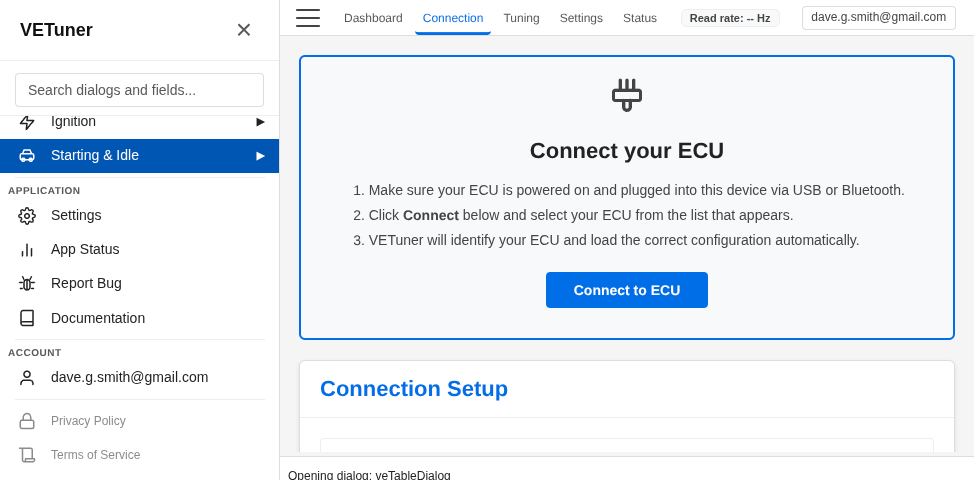
VETuner will probe the ECU and load the right INI file for the firmware. If it doesn’t have it available, it will prompt you to load it from a file (and please email it to me at admin@vetuner.co.uk so I can add it to my collection)
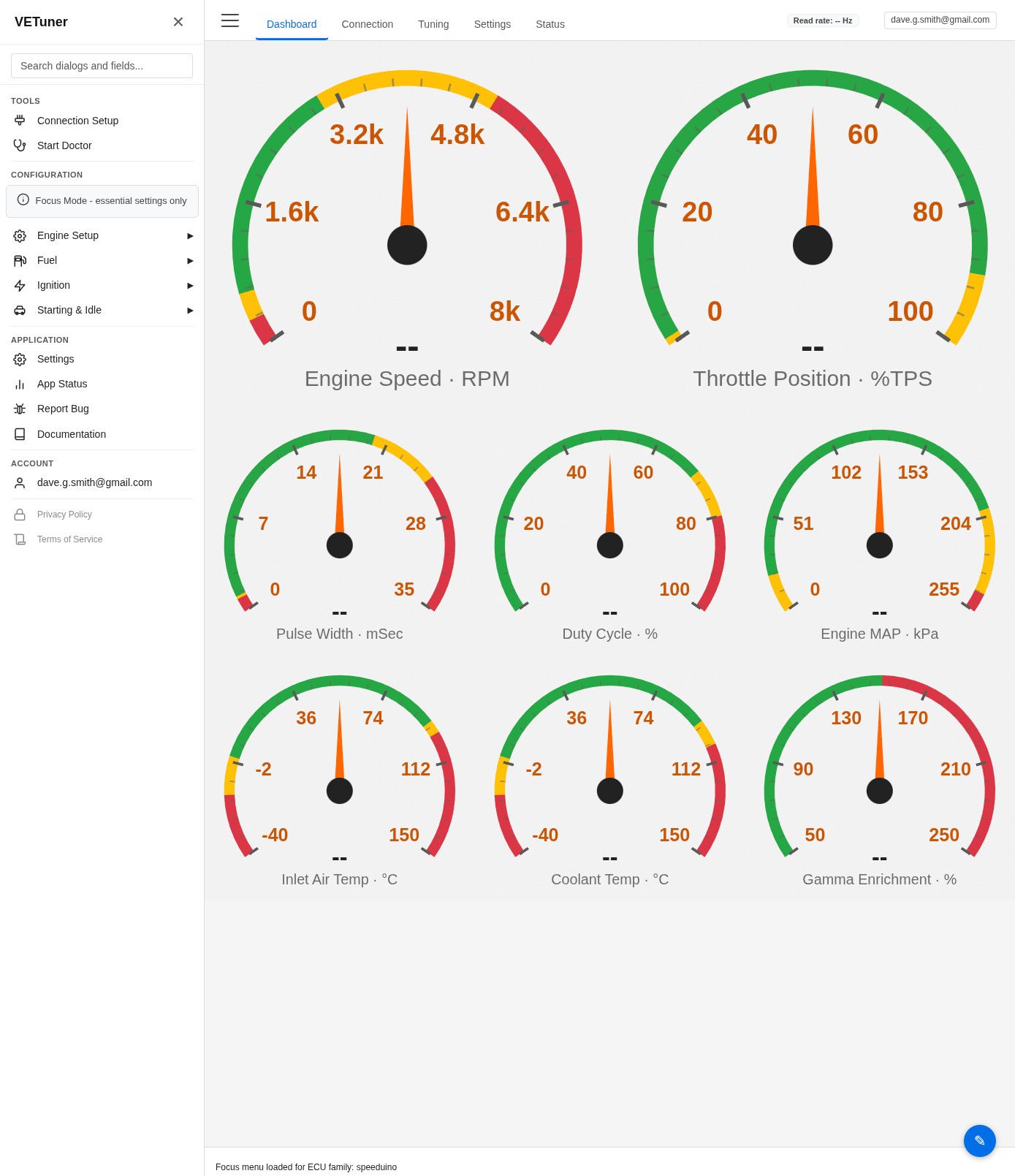
It should then load the initial set of gauges ans switch to the dashboard.
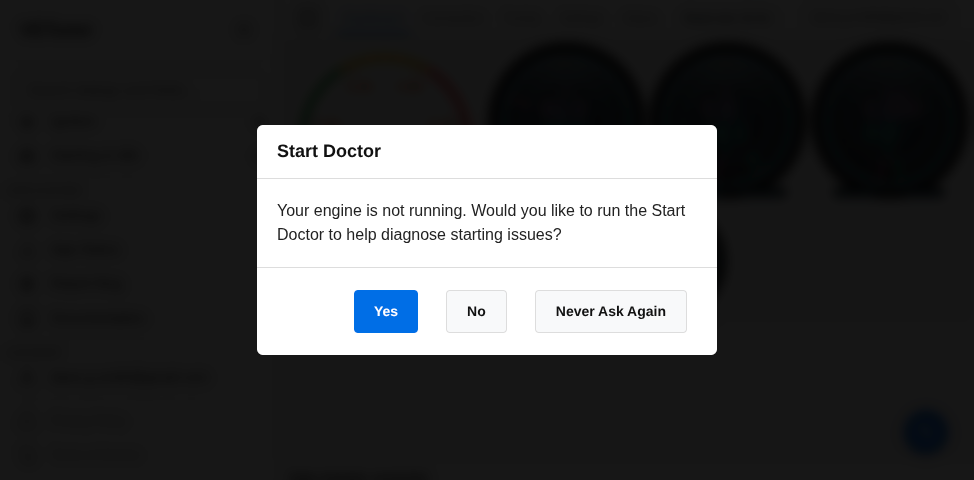
If it detects your engine is not running, it will offer to switch to the Start Doctor
Start Doctor
VETuner wants to help. In Start Doctor mode it watches the engine as it starts and tries to diagnose common issues that may be preventing it from running successfully. Like a real doctor it can only judge the symptoms it observes and offer advice on that. It isn’t a magic wand, but it may spot something you’ve over-looked.
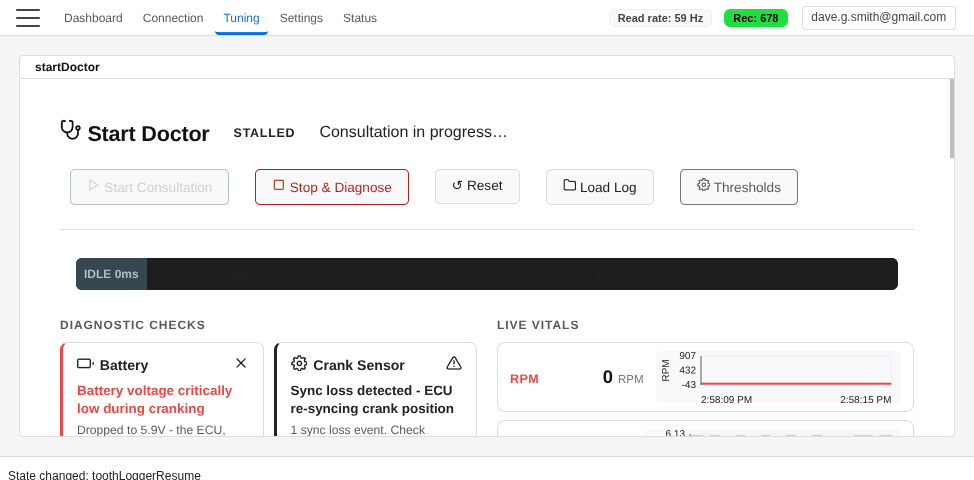
Once you’ve tried for a bit (30 seconds), press the ‘Stop & Diagnose’ button and it will tell you what it found.
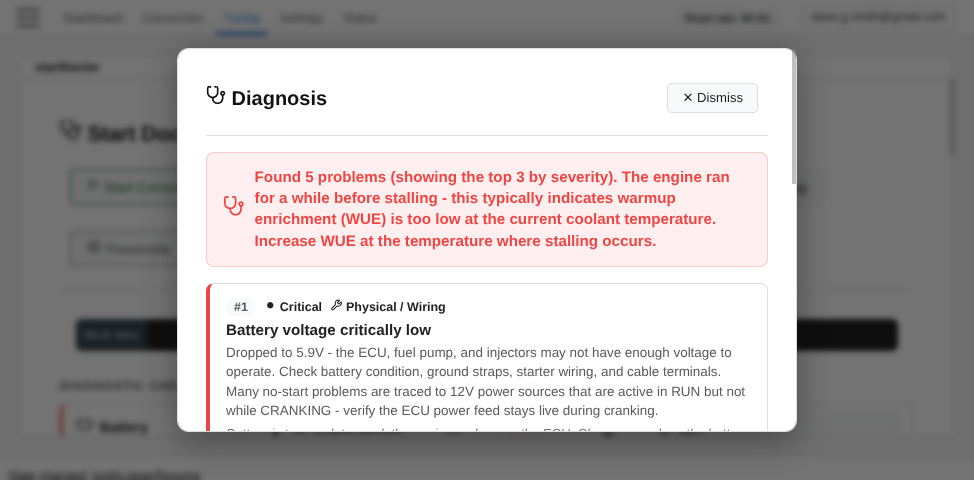
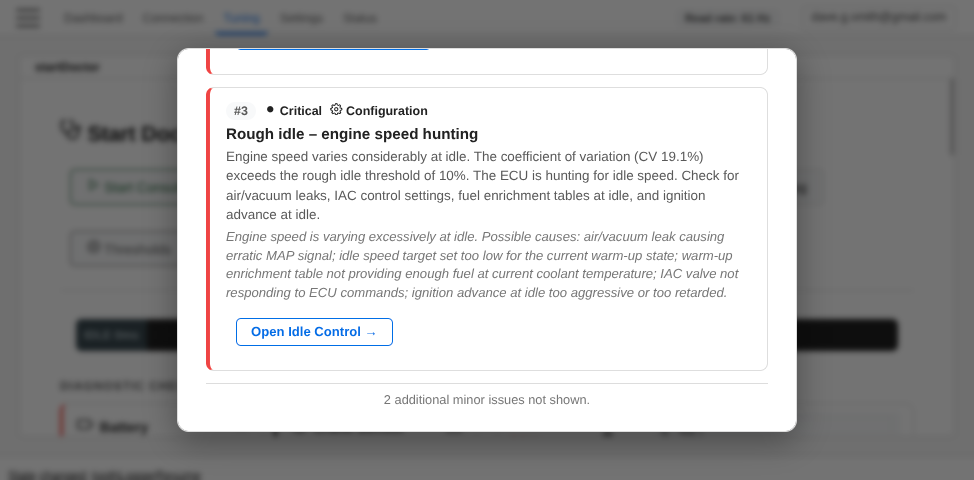
When you dismiss this dialog you can see what it tested, and where things are working as expected
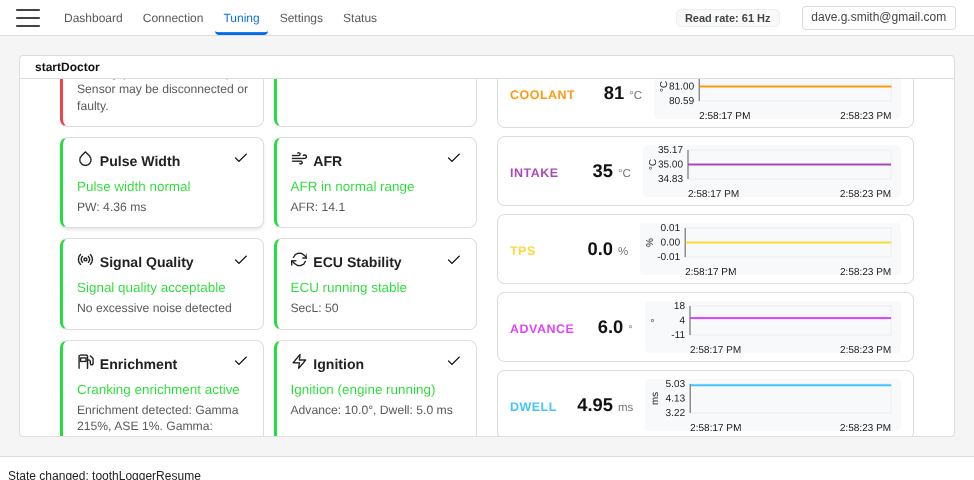
When it stops, it also automatically downloads a zip package that contains:
- The INI file being used
- An MLG log of the session, which also contains your MSQ tune data and ECU config
- A text summary of the findings
- Several tooth log captures from during the start attempt.
The aim is that if you can’t figure it out yourself, it gives you the information you need to share in one package so others can help you.
Focus Mode
The great thing about TunerStudio and MSDroid is that you can change everything. The bad thing about TunerStudio and MSDroid is that you can change everything. They give you all the possible things to change and leave it up to you to figure it out. VETuner defaults to Focus Mode. In this mode, it only presents you with the things you need to get the engine running and idling smoothly. You won’t find Water-Methanol Injection settings, or Nitrous. These are distractions. Instead, it gives you the fundamental settings, spark, fuel, cranking and idle. It tries to reduce the cognitive load on a new user to what they need in order to get their engine going.
Focus Mode can be disabled once you have a valid subscription.
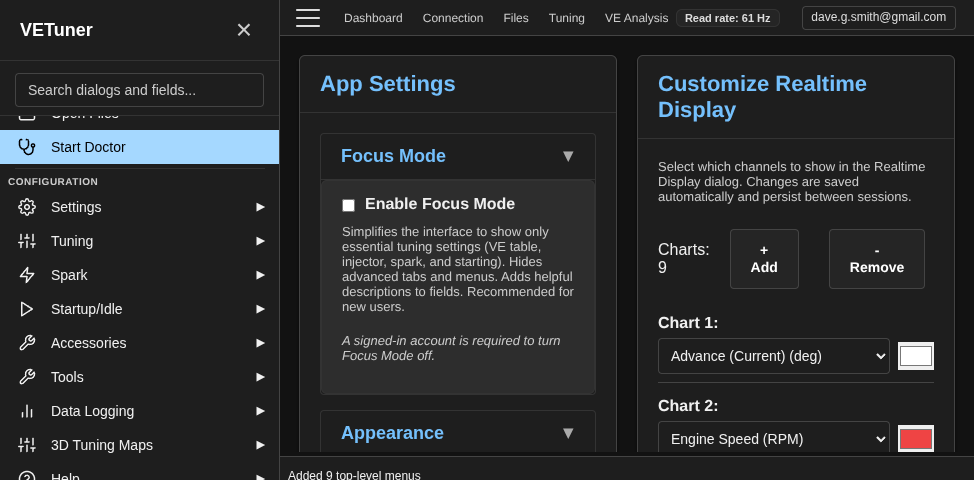
Once that is done, it opens up all the features of your ECU.
Subscription
If you find VETuner useful, taking out an annual subscription for £101 opens up the full functionality, such as fancier gauges
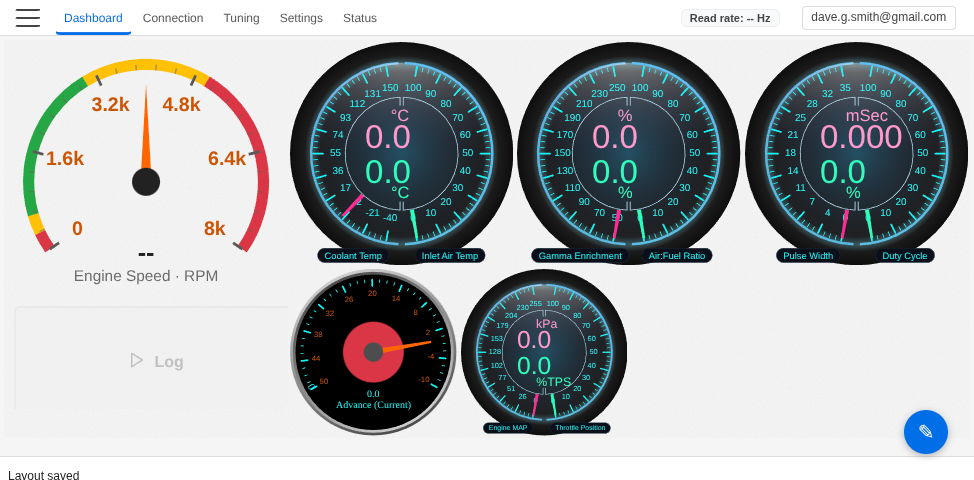
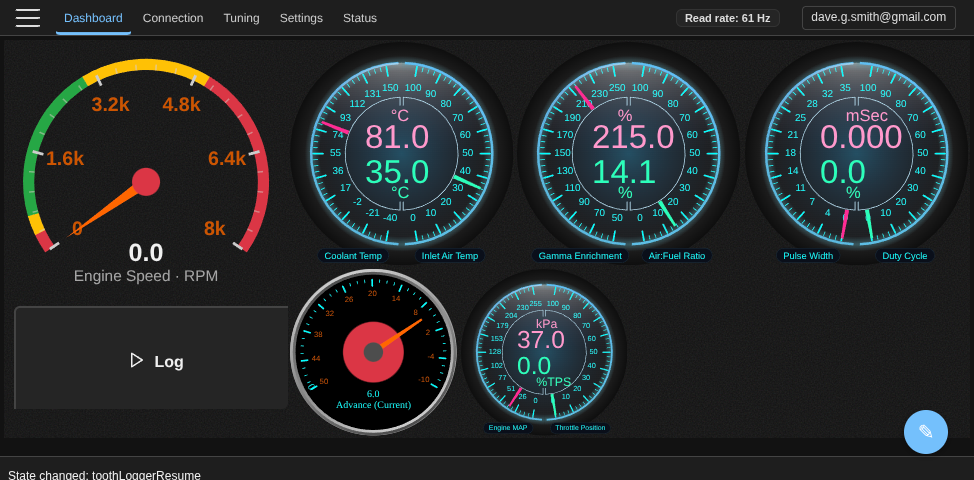
and live or historical graphing, and VE analysis
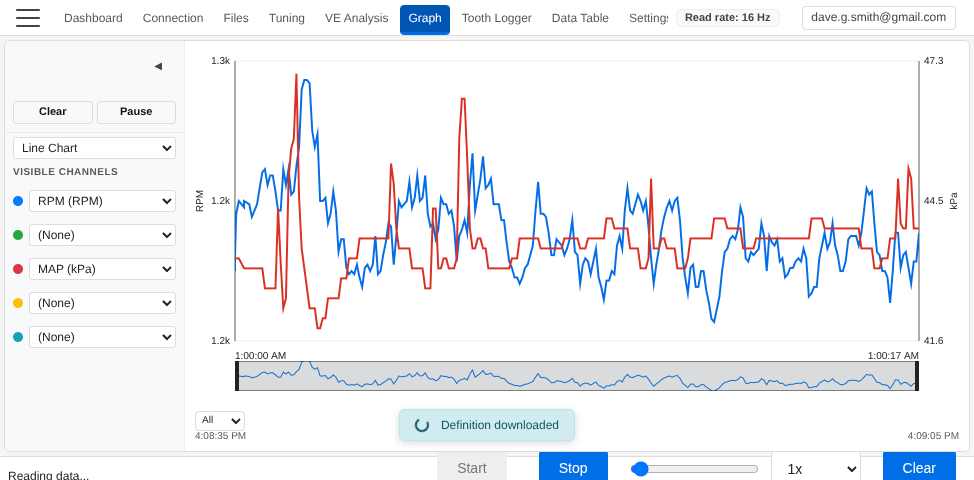
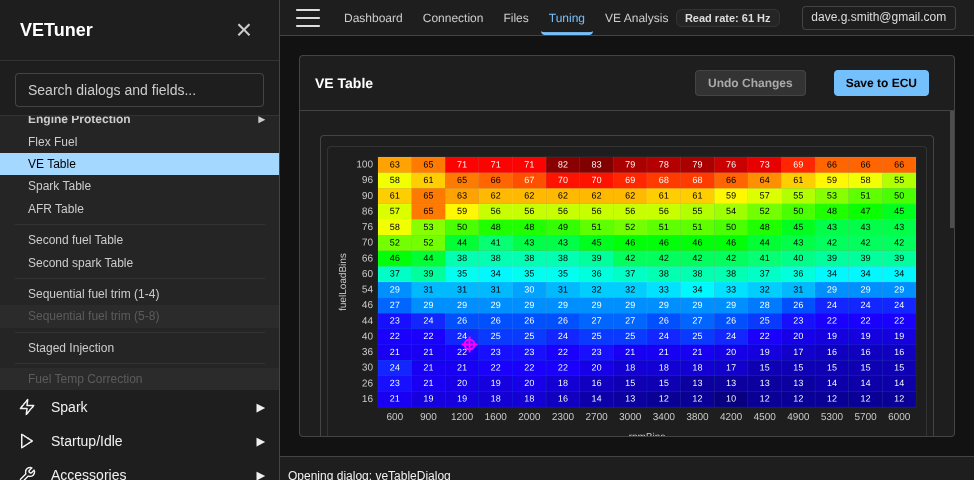
It also helps fund future development.
I hope this has tweaked your curiosity about VETuner sufficiently that you’ll give it a go. It is absolutely free to use in focus mode and full access to the Start Doctor. Let me know what you think at admin@vetuner.co.uk and there are free subscriptions available to anyone who helps me fix a bug or create a new feature.
Converted to your local currency plus local taxes ↩︎